- June 7, 2025
- by keerthivasan
- SEO
- 0 Comments
Have you ever searched something on Google using your phone? Chances are, yes—and you’re not alone. Most people now browse the internet on their mobile devices. Because of this, Google has made a big change in how it ranks websites. It’s called mobile-first indexing.
But what does that mean, and how can you get your website ready for it? Let’s break it down in simple terms.
🧐 What Is Mobile-First Indexing?
Mobile-first indexing means Google looks at the mobile version of your website first when deciding how to rank it in search results. Before, Google used to look at the desktop version. Now, the mobile version is the priority.
So if your mobile site isn’t as good as your desktop one, you might lose rankings—even if your desktop site is perfect.
✅ Why It Matters
- Most users are on mobile – If your website isn’t mobile-friendly, people will leave quickly.
- Google ranks mobile-first – If your mobile version is slow or hard to use, your whole site could drop in search results.
- Better mobile experience = more traffic – Happy mobile users are more likely to stay, browse, and buy.
📋 How to Prepare Your Website for Mobile-First Indexing
Here are some simple steps you can follow:
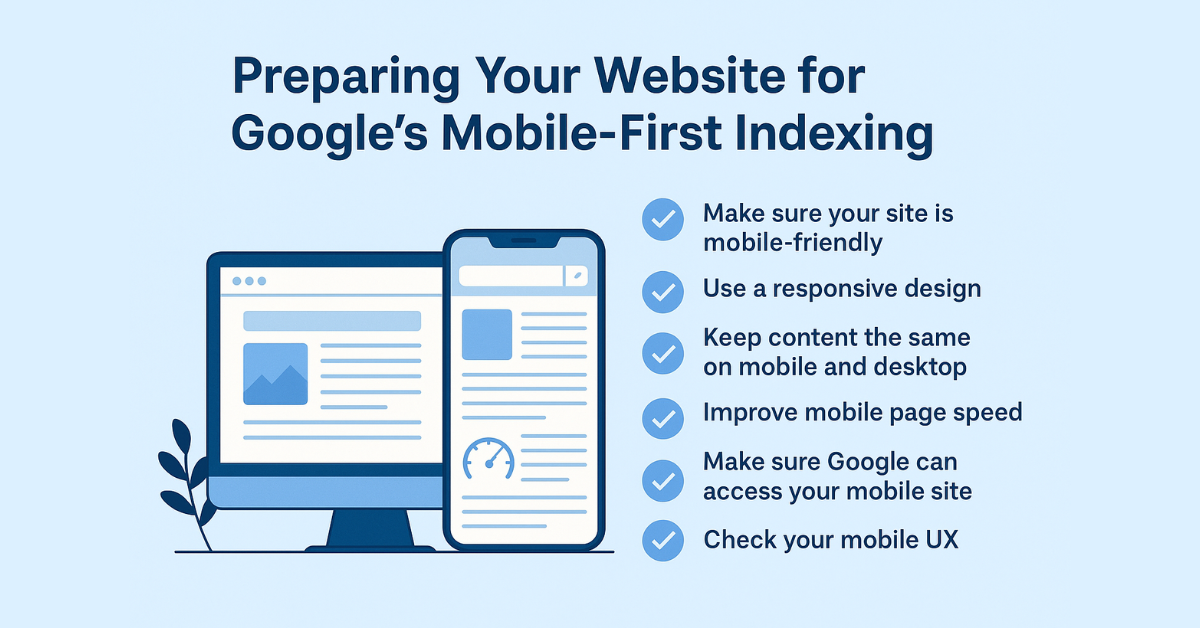
1. Make Sure Your Site Is Mobile-Friendly
Use Google’s Mobile-Friendly Test tool. It will tell you if your site works well on phones and tablets.
2. Use a Responsive Design
This means your website automatically adjusts to fit any screen size—mobile, tablet, or desktop. It’s better than having a separate mobile site.
3. Keep Content the Same on Mobile and Desktop
Don’t hide content on the mobile version. If it’s important on desktop, it should be visible on mobile too. Google wants to see the same text, images, and links on both.
4. Improve Mobile Page Speed
Mobile users are impatient. Use tools like PageSpeed Insights to check and improve loading times.
Tips:
- Compress images.
- Avoid heavy scripts.
- Use a fast hosting service.
5. Make Sure Google Can Access Your Mobile Site
Check your robots.txt file to ensure Google isn’t blocked from crawling your mobile content. Also, use the same meta tags on both versions of your site.
6. Check Your Mobile UX (User Experience)
Ask yourself:
- Is the text readable without zooming?
- Are buttons big enough to tap?
- Is it easy to navigate?
If not, fix those issues!
✅ Conclusion
Mobile-first indexing is now the standard for Google search. If your website isn’t optimized for mobile, you could be missing out on both traffic and rankings.
To recap:
- Make your site mobile-friendly.
- Keep content consistent across all devices.
- Speed up your mobile pages.
- Ensure Google can access your mobile content.
Improving the mobile version of your website not only pleases Google—it also creates a better experience for your users. And happy users are more likely to stick around, explore, and convert.